Notify Others When a Form Is Submitted
Add an Email question to your booking form, application form, or survey. When someone fills in the form, the email address they type into that field gets a notification. No chasing.
Most common use
A field called "Your manager's email address". The manager gets emailed automatically when their staff member books.
How to set it up
- Open the form you want to edit. Either:
- From an event: open the event, then go to Forms for booking or application forms, or Surveys for surveys. Open the existing form, or add one if you don't have it yet.
- From a template: go to Templates, then open the form template you want to edit (or create a new one).
- Click Add Question
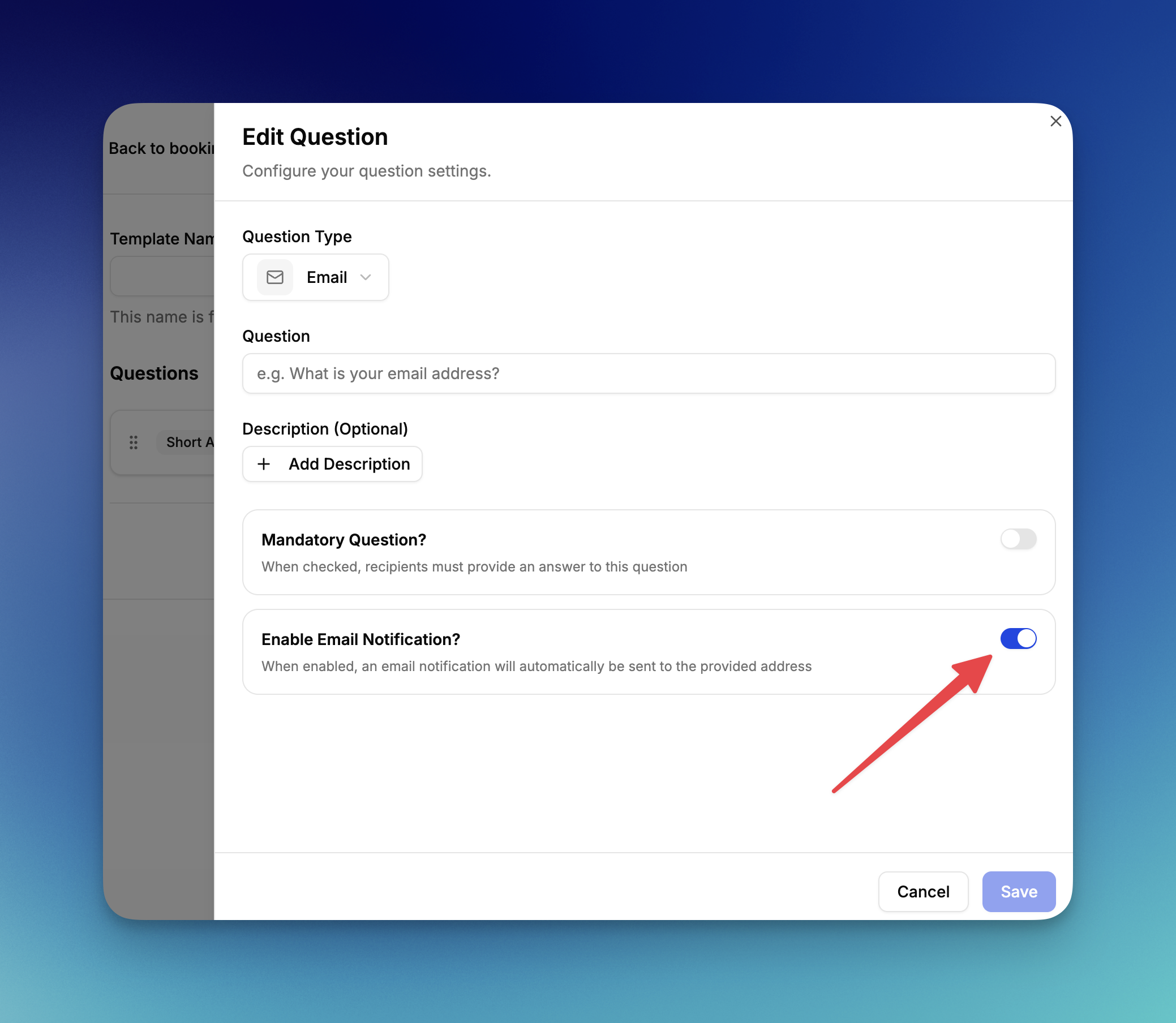
- Set the question type to Email
- Name the question, for example "Your manager's email address"
- Switch on Enable Email Notification?
- Save
The Enable Email Notification? toggle only appears once the question type is set to Email. If every submission must include a recipient address, switch on Mandatory Question? too.
Need to notify more than one person?
Add a second Email question (for example, "Your rota coordinator's email") with the same toggle switched on. Each filled-in address gets the notification independently.
What the recipient gets
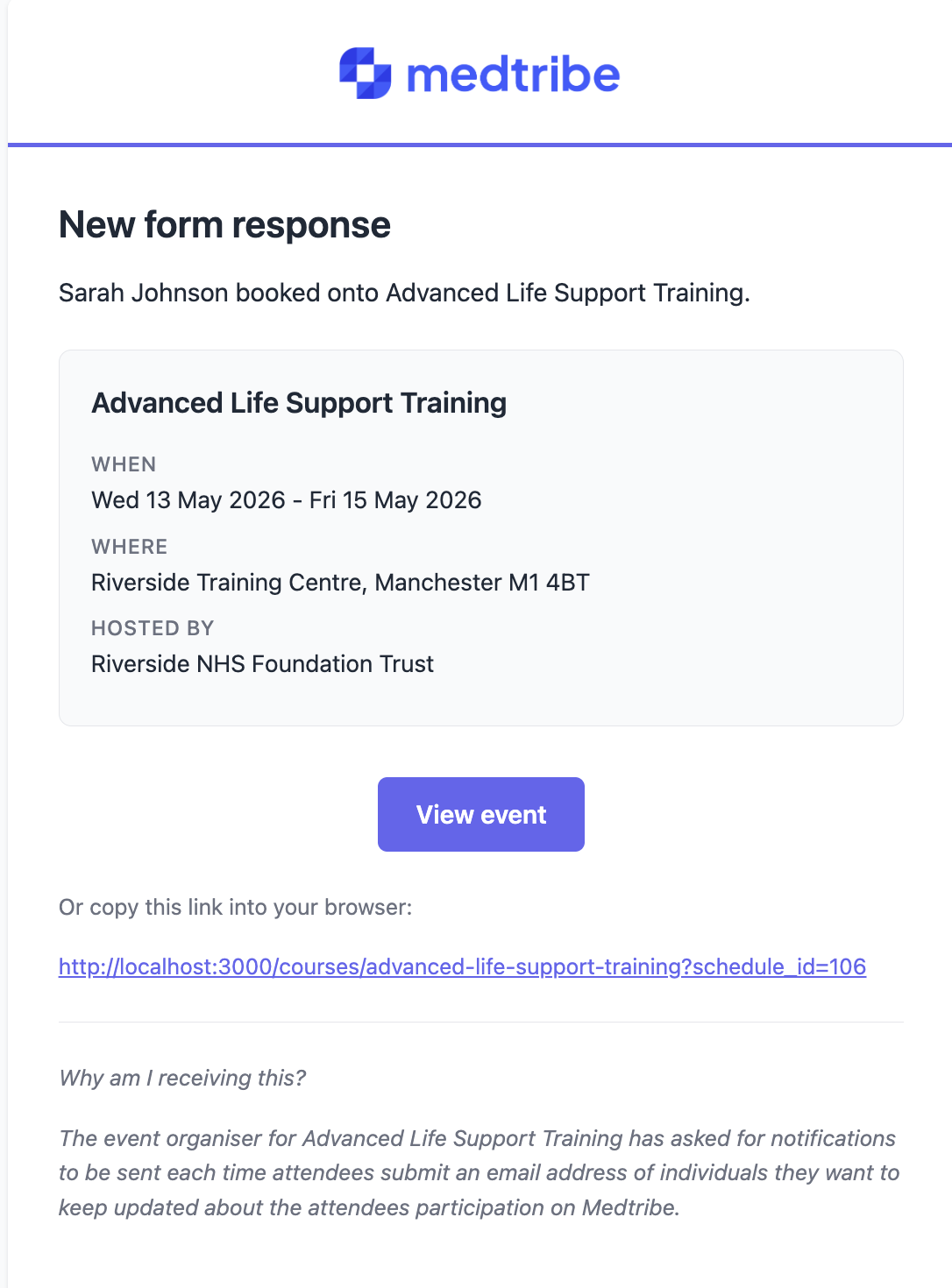
An email with the staff member's name, the event they booked onto, the date, the venue, and a link to view the event. The footer explains why they were emailed and that the staff member entered their address, so it isn't a surprise.
Things to know
There's a five-minute delay
The email sends about five minutes after the booking. This gives the staff member time to cancel a mistaken booking before the recipient is pinged.
Cancelled bookings don't fire
If the booking is cancelled inside that five-minute window, no email is sent.
Blank means no email
If the staff member leaves the field empty, no email goes out. Switch on Mandatory Question? if every submission must include one.
Replies go to the event organiser
If the recipient hits Reply, the message goes to the event organiser (not into Medtribe). Useful to know if a manager wants to ask a question back.
Not receiving the email?
- Wait five minutes. The notification has a short delay.
- Check spam or junk folders.
- For NHS Mail recipients, ask them to add Medtribe as a safe sender, or ask IT to whitelist.
- Confirm the email address was typed correctly on the form.
Related guides
For help, visit medtribe.com/help.